parallelbar
Parallelbar



Table of contents
Parallelbar displays the progress of tasks in the process pool for Pool class methods such as map, starmap (since 1.2 version), imap and imap_unordered. Parallelbar is based on the tqdm module and the standard python multiprocessing library.
Also, it is possible to handle exceptions that occur within a separate process, as well as set a timeout for the execution of a task by a process.
Installation
pip install parallelbar
or
pip install --user git+https://github.com/dubovikmaster/parallelbar.git
Usage
from parallelbar import progress_imap, progress_map, progress_imapu
from parallelbar.tools import cpu_bench, fibonacci
Let’s create a list of 100 numbers and test progress_map with default parameters on a toy function cpu_bench:
tasks = range(10000)
%%time
list(map(cpu_bench, tasks))
Wall time: 52.6 s
Ok, by default this works on one core of my i7-9700F and it took 52 seconds. Let’s parallelize the calculations for all 8 cores and look at the progress. This can be easily done by replacing standart function map with progress_map.
if __name__=='__main__':
    progress_map(cpu_bench, tasks)

Core progress:
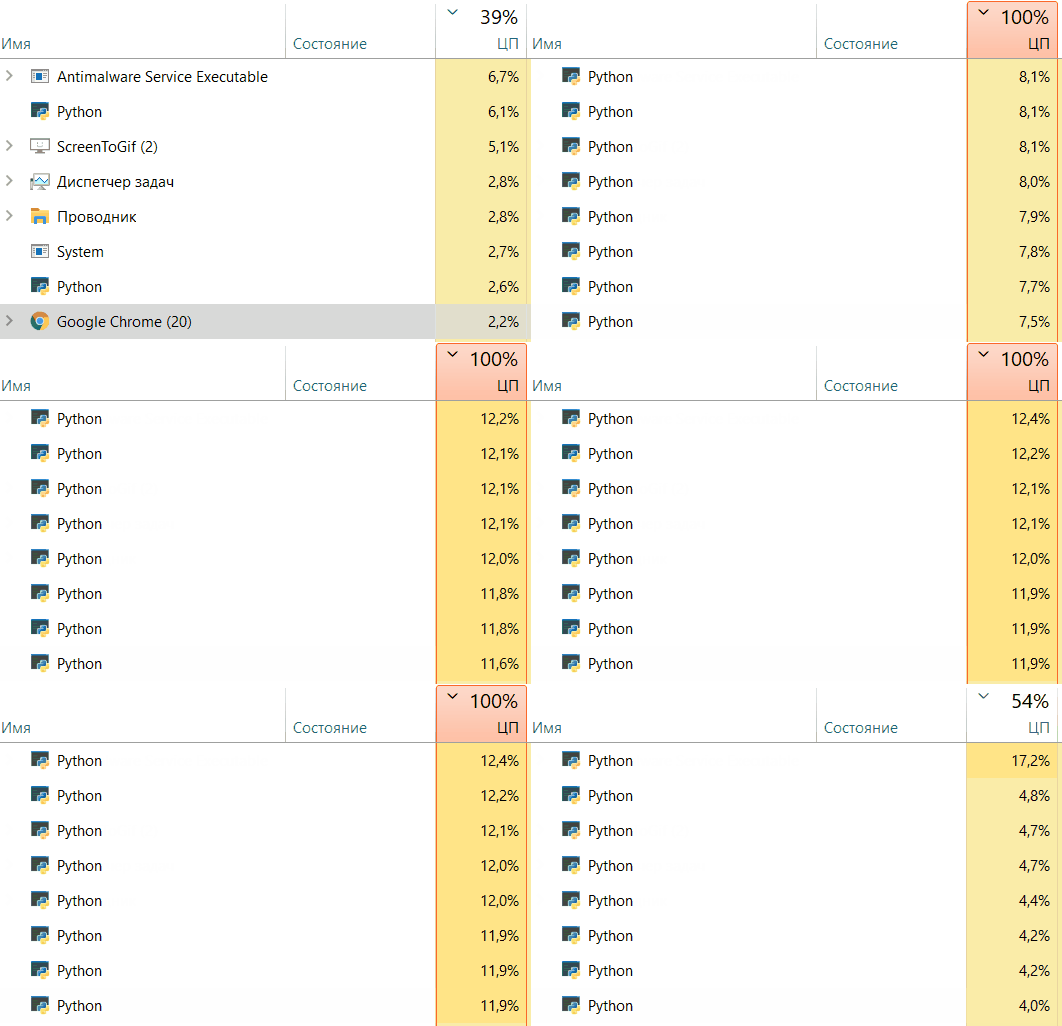
You can also easily use progress_imap and progress_imapu analogs of the imap and imap_unordered methods of the Pool() class
%%time
if __name__=='__main__':
    tasks = [20 + i for i in range(15)]
    result = progress_imap(fibonacci, tasks, chunk_size=1, core_progress=False)

Exception handling
You can handle exceptions and set timeouts for the execution of tasks by the process.
Consider the following toy example:
def foo(n):
    if n==5 or n==17:
        1/0
    elif n==10:
        time.sleep(2)
    else:
        time.sleep(1)
    return n
if __name__=='__main__':
	res = progress_map(foo, range(20), process_timeout=5, n_cpu=8)

As you can see, under the main progress bar, another progress bar has appeared that displays the number of tasks that ended unsuccessfully. At the same time, the main bar turned orange, as if signaling something went wrong
print(res)
	[0, 1, 2, 3, 4, ZeroDivisionError('division by zero'), 6, 7, 8, 9, 10, 11, 12,
     13, 14, 15, 16, ZeroDivisionError('division by zero'), 18, 19]
In the resulting array, we have exceptions in the corresponding places. Also, we can see the exception traceback:
print(res[5].traceback)
Traceback (most recent call last):
  File "/home/padu/anaconda3/envs/work/lib/python3.9/site-packages/pebble/common.py", line 174, in process_execute
    return function(*args, **kwargs)
  File "/home/padu/anaconda3/envs/work/lib/python3.9/site-packages/parallelbar/parallelbar.py", line 48, in _process
    result = func(task)
  File "/tmp/ipykernel_70395/285585760.py", line 3, in foo
    1/0
ZeroDivisionError: division by zero
From which concept at what place in the code the exception occurred. Let’s add a timeout of 1.5 seconds for each process. If the process execution time exceeds 1.5 seconds, an appropriate exception will be raised and handled. In this case, the process will restart and continue to work (thanks to pebble)
if __name__=='__main__':
	res = progress_map(foo, range(20), process_timeout=1.5, n_cpu=8)

print(res)
	[0, 1, 2, 3, 4, ZeroDivisionError('division by zero'), 6, 7, 8, 9, 'function foo took longer than 1.5 s.',
	11, 12, 13, 14, 15, 16, ZeroDivisionError('division by zero'), 18, 19]
Exception handling has also been added to methods progress_imap and progress_imapu.
Changelog
Version 2.5
- Introduced an optional
timeoutparameter toprogress_mapandprogress_starmapfor managing execution time limits.
Version 2.4
- fixed issue
- For Windows OS, when using the
add_progressdecorator, the function being decorated no longer needs theworker_queuekeyword argument.
New in version 2.3
- added
wrappersmodule with which contains decorators:stop_it_after_timeout- stops the function execution after the specified time (in seconds)add_progress- adds a progress bar to the function execution, exception handling and timeout.
Usage example for UNIX systems:
from parallelbar.wrappers import add_progress
from parallelbar import progress_map
import time


@add_progress(error_handling='coerce', timeout=.5)
def foo(n):
    if n==5 or n==17:
        1/0
    elif n==10:
        time.sleep(1)
    else:
        time.sleep(.1)
    return n

def bar(x):
    return [foo(i) for i in range(x)]

if __name__=='__main__':
    # you must specify the total number of tasks
    res = progress_map(bar, [10, 20, 30, 40], n_cpu=4, total=100)
Out:

For Windows systems you need to add the worker_queue parameter to the functions foo and bar and use the used_add_progress_decorator parameter in the progress_map function:
@add_progress(error_handling='coerce', timeout=.5)
def foo(n):
    if n==5 or n==17:
        1/0
    elif n==10:
        time.sleep(1)
    else:
        time.sleep(.1)
    return n

def bar(x, worker_queue=None):
    return [foo(i, worker_queue=worker_queue) for i in range(x)]

if __name__=='__main__':
    res = progress_map(bar, [10, 20, 30, 40], n_cpu=4, total=100, used_add_progress_decorator=True)
Out:
You can also use the stopit_after_timeout decorator separately:
from parallelbar.wrappers import stopit_after_timeout
from parallelbar import progress_map
import time


@stopit_after_timeout(.5, raise_exception=True)
def foo(n):
    if n==5:
        time.sleep(1)
    else:
        time.sleep(.1)
    return n

if __name__=='__main__':
    print(f'first result is: {foo(3)}')
    print(f'second result is: {foo(5)}')
Out:
first result is: 3

TimeoutError                              Traceback (most recent call last)
Cell In[7], line 16
     14 if __name__=='__main__':
     15     print(foo(3))
---> 16     print(foo(5))

File /opt/conda/envs/user_response/lib/python3.10/site-packages/parallelbar/wrappers.py:38, in stopit_after_timeout.<locals>.actual_decorator.<locals>.wrapper(*args, **kwargs)
     36     msg = f'function took longer than {s} s.'
     37     if raise_exception:
---> 38         raise TimeoutError(msg)
     39     result = msg
     40 finally:

TimeoutError: function took longer than 0.5 s.
- added
return_failed_taskskeyword parameter to theprogress_map/starmap/imap/imapufunction (default=False) - ifTruethen the result will include the tasks that failed with an exception.
New in version 1.3
- added
maxtaskperchildkeyword parameter to theprogress_map/starmap/imap/imapufunction (default=None)
New in version 1.2
- Added
progress_starmapfunction. An extension of thestarmapmethod of thePoolclass. - Improved documentation.
New in version 1.1
- The
bar_stepkeyword argument is no longer used and will be removed in a future version - Added
need_serializeboolean keyword argument to theprogress_map/imap/imapufunction (defaultFalse). Requires dill to be installed. IfTruethe target function is serialized usingdilllibrary. Thus, as a target function, you can now use lambda functions, class methods and other callable objects thatpicklecannot serialize - Added dynamic optimization of the progress bar refresh rate. This can significantly improve the performance of the
progress_map/imap/imapufunctions ror very long iterables and small execution time of one task by the objective function.
New in version 1.0
- The “ignore” value of the
error_behaviorkey parameter is no longer supported. - Default value of key parameter
error_behaviorchanged to “raise”. - The pebble module is no longer used.
- Added key parameter
executorin the functionsprogress_map,progress_imapandprogress_imapu. Must be one of the values:- “threads” - use thread pool
- “processes” - use processes pool (default)
New in version 0.3.0
- The
error_behaviorkeyword argument has been added to the progress_map, progress_imap and progress_imapu methods. Must be one of the values: “raise”, “ignore”, “coerce”.- “raise” - raise an exception thrown in the process pool.
- “ignore” - ignore the exceptions that occur. Do not add anything to the result
- “coerce” - handle the exception. The result will include the value set by the parameter
set_error_value(by default None - the traceback of the raised exception will be added to the result)
- The
set_error_valuekeyword argument has been added to the progress_map, progress_imap and progress_imapu methods.
Example of usage
import time
import resource as rs
from parallelbar import progress_imap


def memory_limit(limit):
    soft, hard = rs.getrlimit(rs.RLIMIT_AS)
    rs.setrlimit(rs.RLIMIT_AS, (limit, hard))


def my_awesome_foo(n):
    if n == 0:
        s = 'a' * 10000000
    elif n == 20:
        time.sleep(100)
    else:
        time.sleep(1)
    return n


if __name__ == '__main__':
    tasks = range(30)
    start = time.monotonic()
    result = progress_imap(my_awesome_foo, tasks,
                           process_timeout=1.5,
                           initializer=memory_limit,
                           initargs=(100,),
                           n_cpu=4,
                           error_behavior='coerce',
                           set_error_value=None,
                           )
    print(f'time took: {time.monotonic() - start:.1f}')
    print(result)

time took: 8.2
[MemoryError(), 1, 2, 3, 4, 5, 6, 7, 8, 9, 10, 11, 12, 13, 14, 15,
16, 17, 18, 19, TimeoutError('function "my_awesome_foo" took longer than 1.5 s.'), 21, 22, 23, 24, 25, 26, 27, 28, 29]
Set NaN instead of tracebacks to the result of the pool operation:
if __name__ == '__main__':
    tasks = range(30)
    start = time.monotonic()
    result = progress_imap(my_awesome_foo, tasks,
                           process_timeout=1.5,
                           initializer=memory_limit,
                           initargs=(100,),
                           n_cpu=4,
                           error_behavior='coerce',
                           set_error_value=float('nan'),
                           )
    print(f'time took: {time.monotonic() - start:.1f}')
    print(result)
time took: 8.0
[nan, 1, 2, 3, 4, 5, 6, 7, 8, 9, 10, 11, 12, 13, 14, 15,
16, 17, 18, 19, nan, 21, 22, 23, 24, 25, 26, 27, 28, 29]
Let’s ignore exception:
if __name__ == '__main__':
    tasks = range(30)
    start = time.monotonic()
    result = progress_imap(my_awesome_foo, tasks,
                           process_timeout=1.5,
                           initializer=memory_limit,
                           initargs=(100,),
                           n_cpu=4,
                           error_behavior='ignore',
                           set_error_value=None,
                           )
    print(f'time took: {time.monotonic() - start:.1f}')
    print(result)
time took: 8.0
[1, 2, 3, 4, 5, 6, 7, 8, 9, 10, 11, 12, 13, 14, 15,
16, 17, 18, 19, 21, 22, 23, 24, 25, 26, 27, 28, 29]
Problems of the naive approach
Why can’t I do something simpler? Let’s take the standard imap method and run through it in a loop with tqdm and take the results from the processes:
from multiprocessing import Pool
from tqdm.auto import tqdm
if __name__=='__main__':
    with Pool() as p:
        tasks = [20 + i for i in range(15)]
        pool = p.imap(fibonacci, tasks)
        result = []
        for i in tqdm(pool, total=len(tasks)):
            result.append(i)

It looks good, doesn’t it? But let’s do the following, make the first task very difficult for the core. To do this, I will insert the number 38 at the beginning of the tasks list. Let’s see what happens
if __name__=='__main__':
    with Pool() as p:
        tasks = [20 + i for i in range(15)]
        tasks.insert(0, 39)
        pool = p.imap_unordered(fibonacci, tasks)
        result = []
        for i in tqdm(pool, total=len(tasks)):
            result.append(i)

This is a fiasco. Our progress hung on the completion of the first task and then at the end showed 100% progress. Let’s try to do the same experiment only for the progress_imap function:
if __name__=='__main__':
    tasks = [20 + i for i in range(15)]
    tasks.insert(0, 39)
    result = progress_imap(fibonacci, tasks)

The progress_imap function takes care of collecting the result and closing the process pool for you. In fact, the naive approach described above will work for the standard imap_unordered method. But it does not guarantee the order of the returned result. This is often critically important.
License
MIT license